An easy-to-use WordPress plugin that helps you create customizable ‘Click To Reveal’ buttons for your coupon/promotion/affiliate websites.
The button will reveal the hidden coupon code when clicked. You can customize the button text, reveal text, and button link.
Easy to insert into your posts, pages, custom post types with a shortcode.
How to use it:
1. Search the plugin name Coupon Reveal Button on the Add Plugins page.
2. Install and activate the plugin and done.
3. Create a new Coupon Reveal Button from your admin panel.

4. Set the button name, button text and coupon code under the Button Text tab.

5. Customize the button color under the Button Design tab.

6. Add your own links (e.g. affiliate links) to the button.

7. Click the save button and you’ll see all the coupon reveal buttons and corresponding shortcodes.
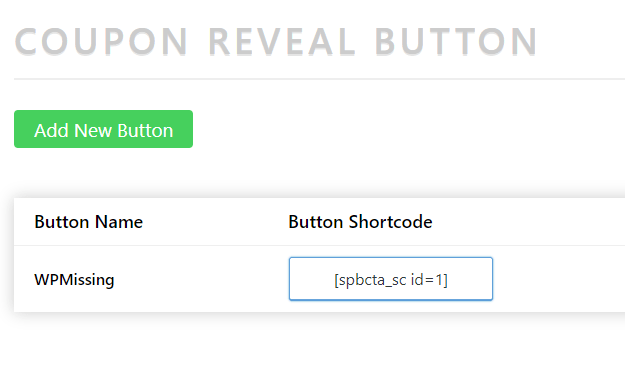
8. Insert the shortcode into your posts or pages. Done.

Preview:

Download WordPress Plugin:
You can download this free WordPress plugin using the download button below. Unless otherwise stated, the WordPress plugin is available under GNU General Public License.
Author: SuPlugins
Homepage: https://wordpress.org/plugins/coupon-reveal-button/
Don’t forget to share this WordPress plugin and also check out other awesome plugins on our site.


